
Git Listener connects GitHub, GitLab, Azure DevOps and AWS CodeCommit to Jira and monday.com through a single integration. See commits, branches and pull requests where the work lives — and create branches and PRs without leaving your tracker.
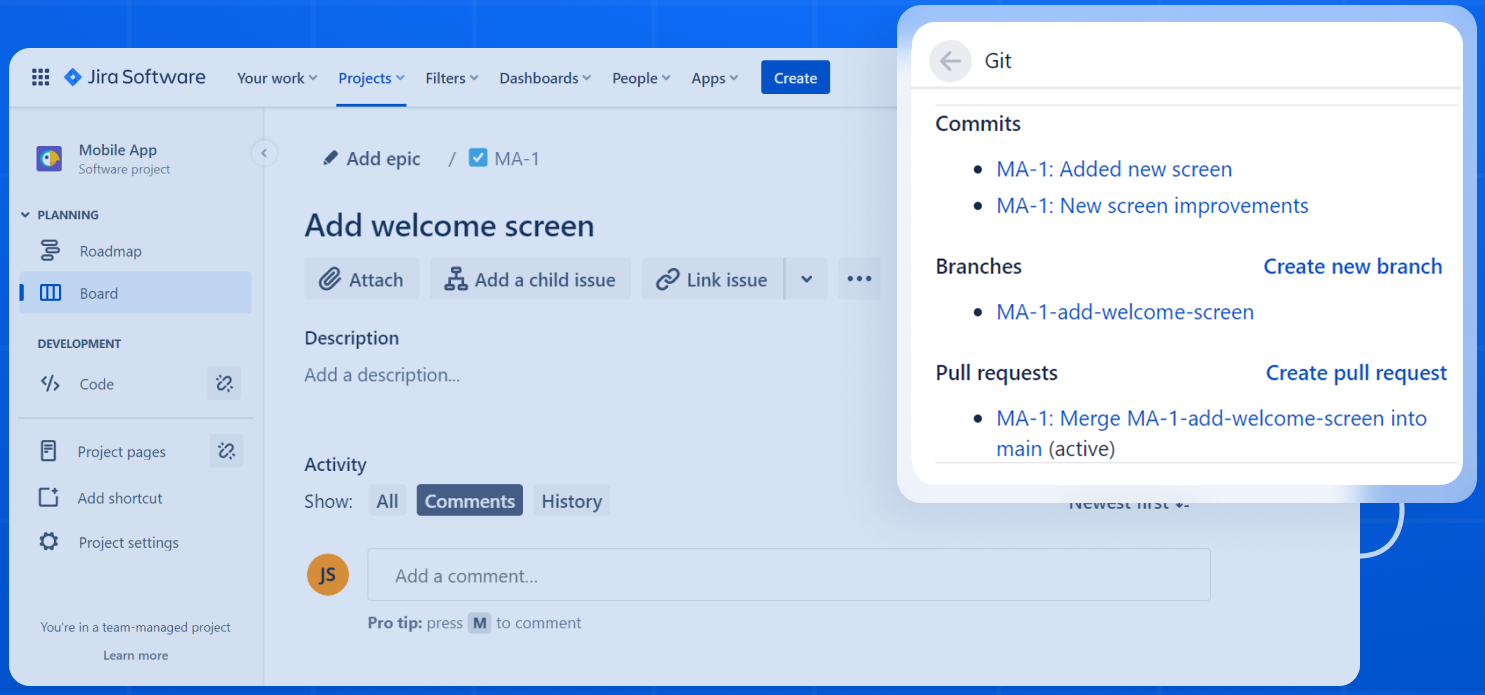
Most teams run repos across more than one provider. Git Listener brings them all into a single integration, then routes every commit, branch and PR to the right issue automatically.

GitHub, GitLab, Azure DevOps and AWS CodeCommit in a single plugin — mix providers across one project without extra setup.
First-class CodeCommit integration — a provider almost no competing Jira app handles natively.
Spin up branches and open pull requests on any provider right from the Jira or monday issue — no context switch.
Transition issues, log time and comment straight from a commit message — across every provider you connect.
Install from the Atlassian Marketplace, paste a token, and your issues light up with Git activity. No agents, no webhooks to wire by hand.
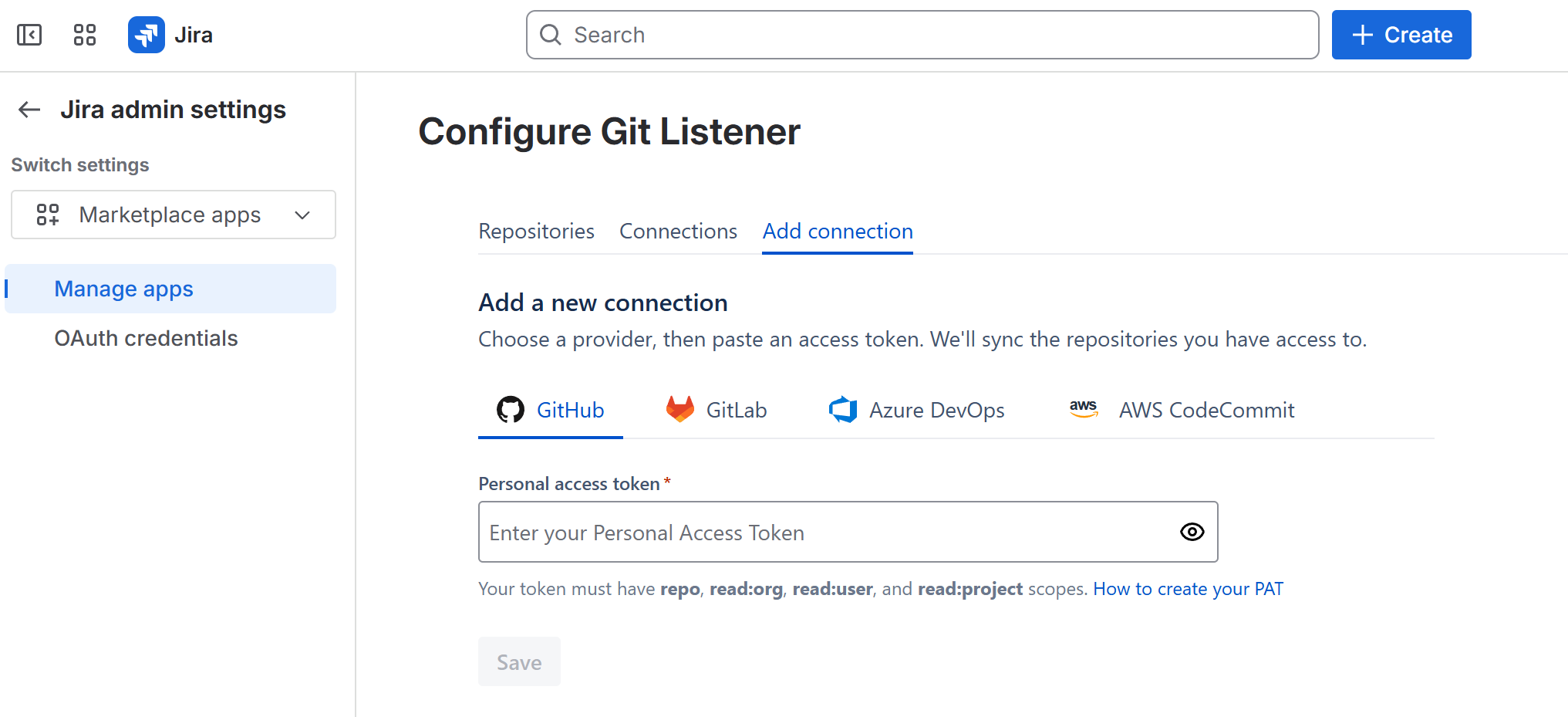
Add GitHub, GitLab, Azure DevOps or AWS CodeCommit with a personal access token. Connect as many as you need.
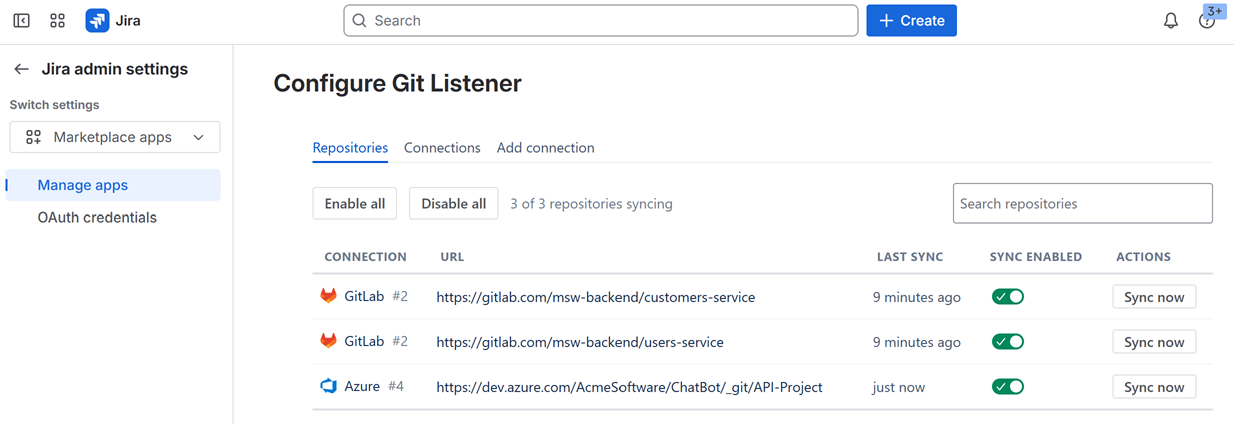
Pick the repos that matter. Git Listener watches them and matches activity to issues by key.
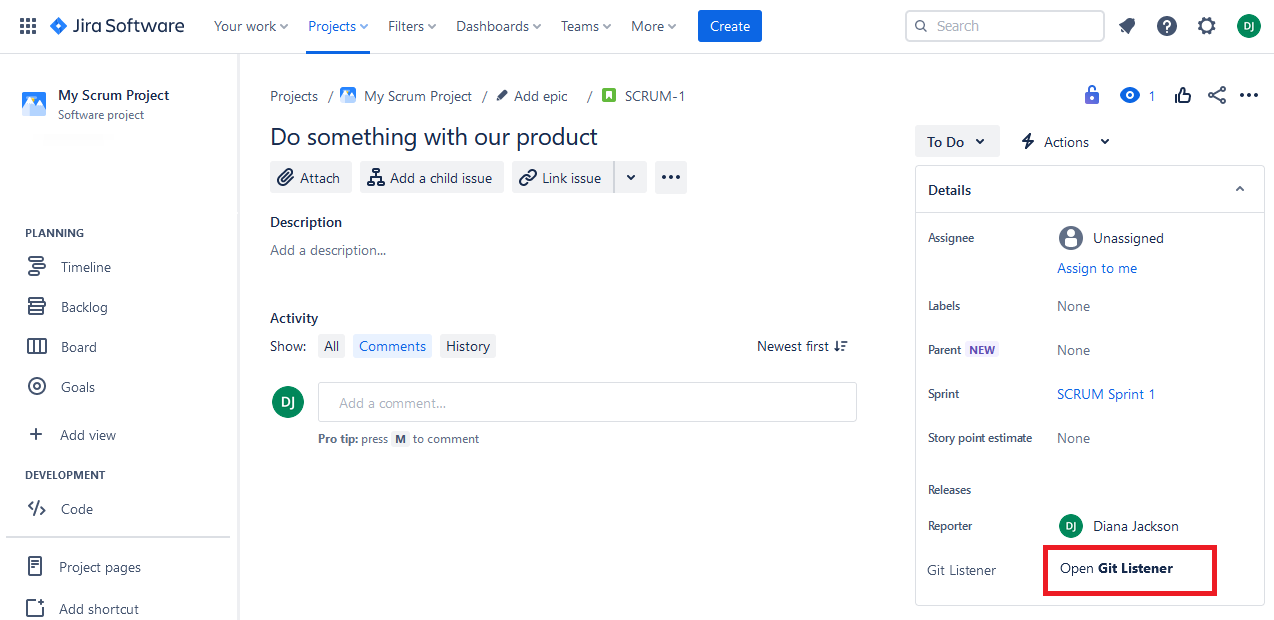
Commits, branches and PRs appear on every issue — and you can create new branches and pull requests in a click.
Git Listener reads only what it needs to link activity to issues. We never copy your source, and everything is encrypted end to end.
Git Listener reads commit, branch and pull-request metadata through provider APIs. Your source code is never cloned, copied or stored on our servers.
All traffic runs over TLS, and stored credentials and data are encrypted at rest with AES-256. Access tokens are kept in an encrypted secret store.
You connect with scoped access tokens you control, and the app is continuously security-scanned.
One featured plugin for multi-provider teams, a dedicated build for monday.com, and focused single-provider plugins for teams that want exactly one.
Every provider in one plugin, branch & PR creation from the issue, and Smart Commits on the way. The fastest way to bring all your Git activity into Jira.

The same multi-provider integration, rebuilt for monday boards — link commits, branches and PRs to any item.
View productGit Listener for Jira is free for teams of 10 users or fewer. Beyond that, pricing scales with your team and is always shown live on the Atlassian Marketplace — so it's never out of date.
Free for Jira teams of 10 users or fewer. Everything included — no per-provider add-ons, no feature gates.
Multi-provider Git for monday boards, with its own free trial.
See pricing on monday.com marketplaceInstall Git Listener from the Atlassian Marketplace and connect your first provider in minutes.
Pick the platform you work in — every plan includes a free trial on the marketplace.
 Azure
Azure AWS
AWS GitLab