

One plugin for GitHub, GitLab, Azure DevOps and AWS CodeCommit. Git Listener links commits, branches and pull requests to the right issue automatically — and lets you create branches and PRs without leaving Jira.
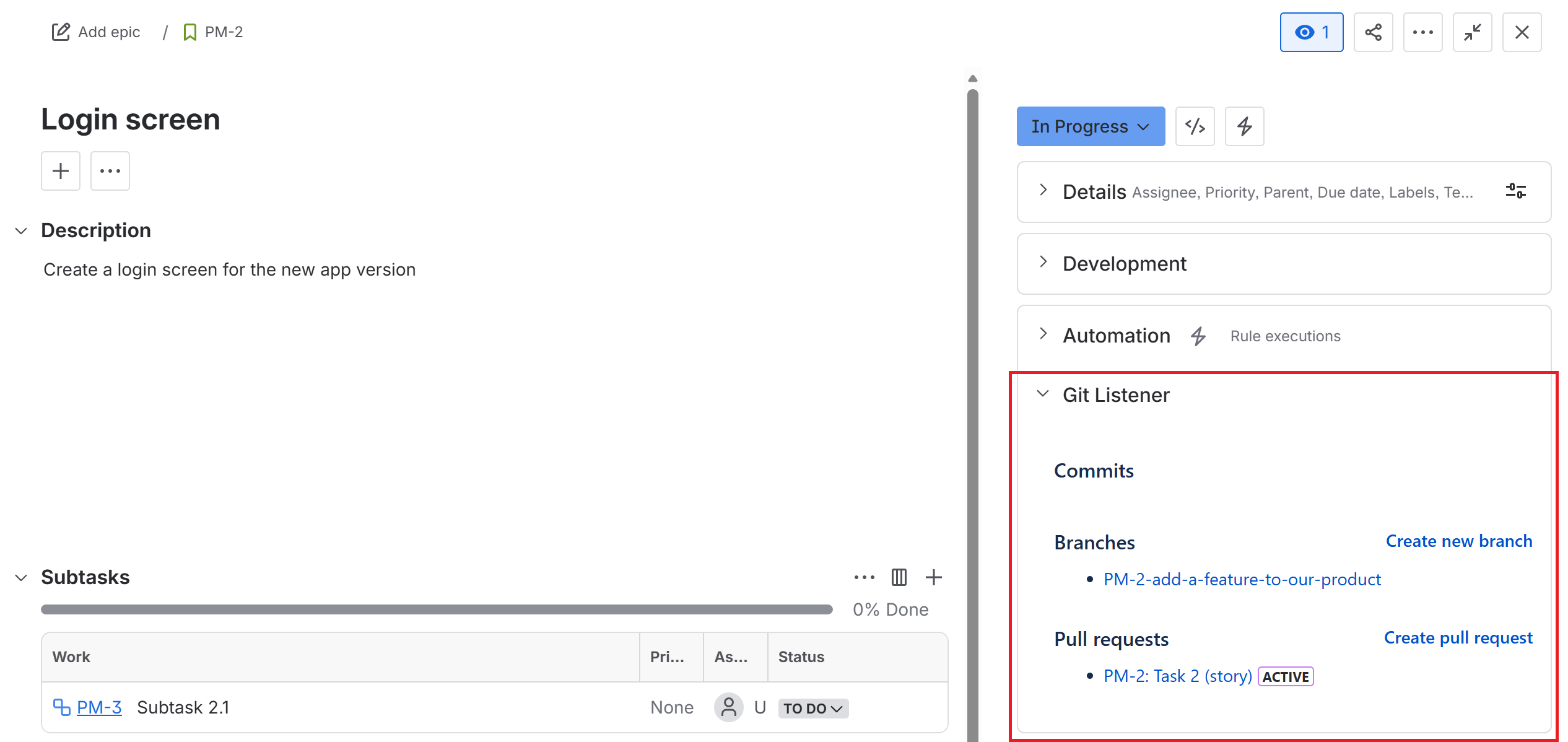
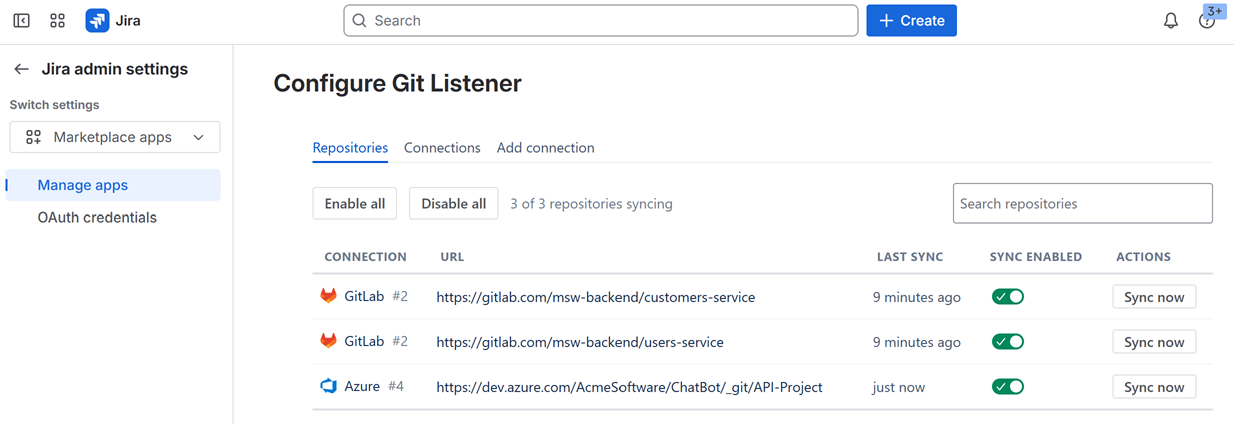
Add GitHub, GitLab, Azure DevOps and AWS CodeCommit with a personal access token. Mix providers freely across one Jira project — no separate plugin per provider, no duplicate setup.
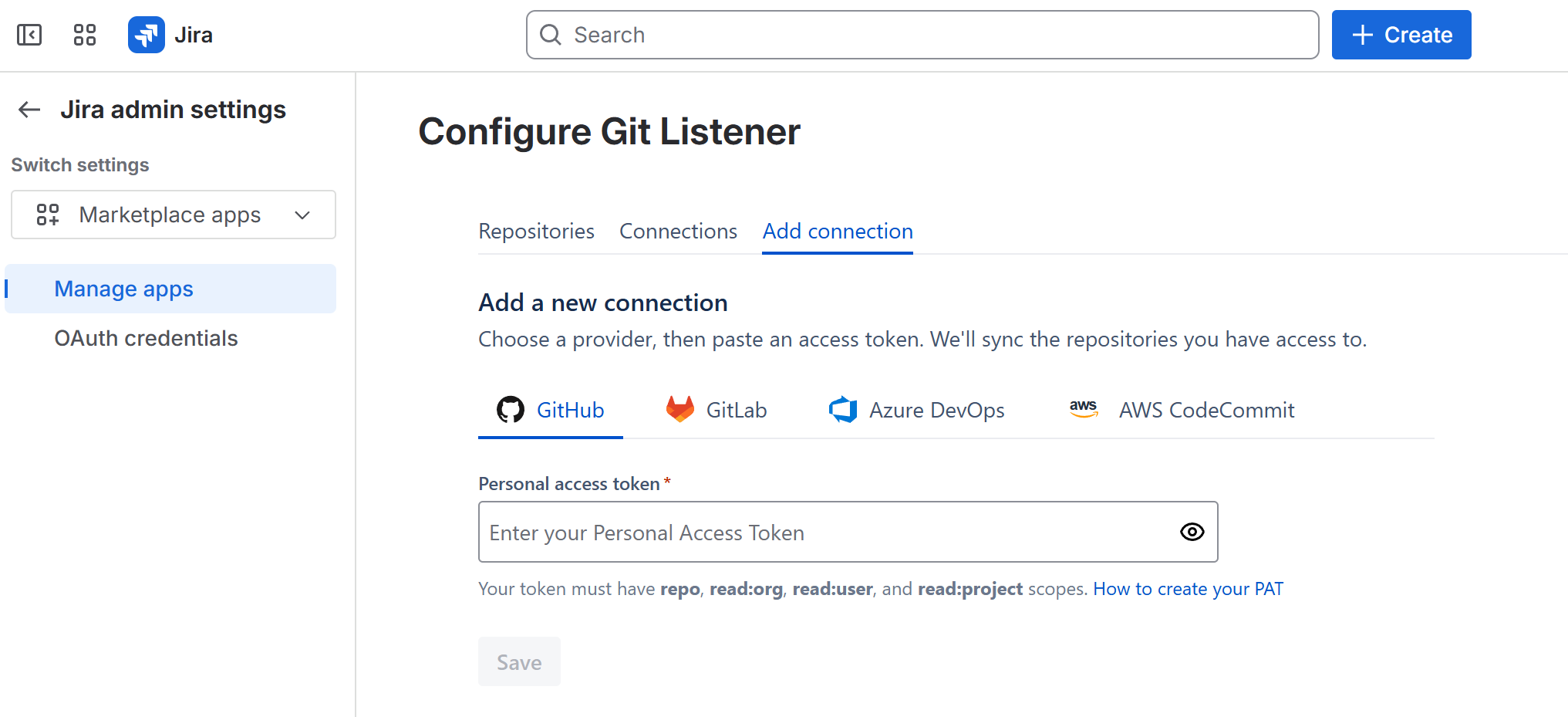
Git Listener matches activity to issues by key and surfaces it in a dedicated panel — so anyone on the team can see development status without opening a single repo.
Start work without leaving the issue. Create a correctly-named branch or open a pull request on any connected provider in a couple of clicks.
Transition issues, log time and comment from a commit message — across every provider.
Activity appears on issues without manual linking or webhooks to wire by hand.
Detects issue keys in branch names, commits and PR titles to link the right work.
Run repos from different providers under one Jira project — no extra configuration.
Real help from the team that builds it, with active maintenance and updates.
We read only metadata and never clone your code, with continuous security scanning.
Git Listener reads only the metadata it needs to link activity to issues — your source never leaves your provider.
Read our security overviewGitHub, GitLab, Azure DevOps and AWS CodeCommit — all in one plugin. You can connect several at once and mix them across a single Jira project.
No. Git Listener reads commit, branch and pull-request metadata through each provider's API. Your source code is never cloned, copied or stored on our servers.
All traffic is encrypted in transit with TLS and stored data is encrypted at rest with AES-256. Access tokens are held in an encrypted secret store. Git Listener is continuously security-scanned.
Yes. From any issue you can create a branch (pre-named from the issue key and summary) or open a pull request on any connected provider — without leaving Jira.
Smart Commits for all providers are on the way — transition issues, log time and comment straight from a commit message. They'll be included for existing customers at no extra cost.
Git Listener for Jira uses competitive per-user pricing on the Atlassian Marketplace, billed by Atlassian. It's free for small teams and includes a 30-day free trial. Current rates are shown on the Marketplace listing.
Install Git Listener from the Atlassian Marketplace and connect your first provider in minutes.
Pick the platform you work in — every plan includes a free trial on the marketplace.



 GitLab