

A focused, fully-supported plugin that links your GitLab commits, branches and merge requests to the right Jira issue — and lets you create branches and MRs without leaving Jira. Works with GitLab.com and self-hosted instances.
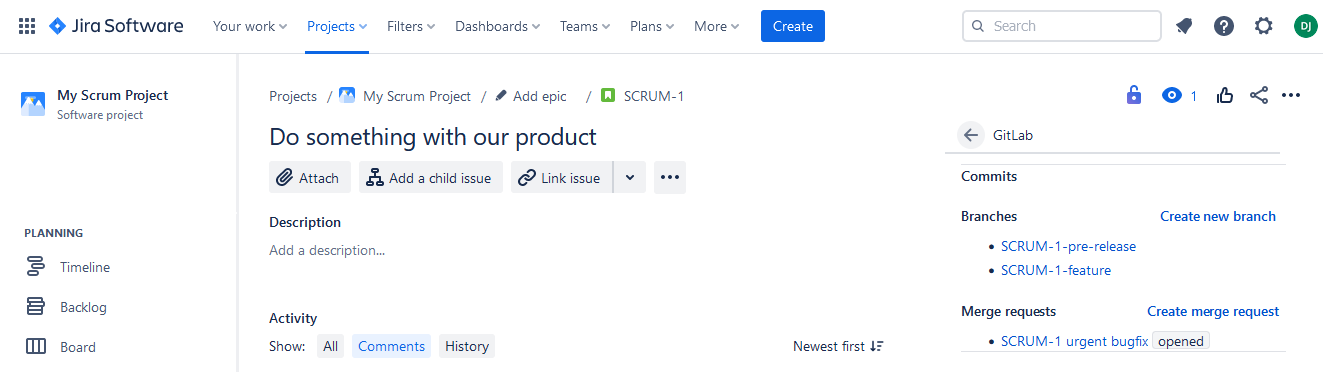
Git Listener matches your GitLab activity to Jira issues by key and surfaces it in a dedicated panel — so the whole team can see development status without opening a repo.
Start work straight from the issue. Create a correctly-named branch or open a merge request in GitLab in a couple of clicks.
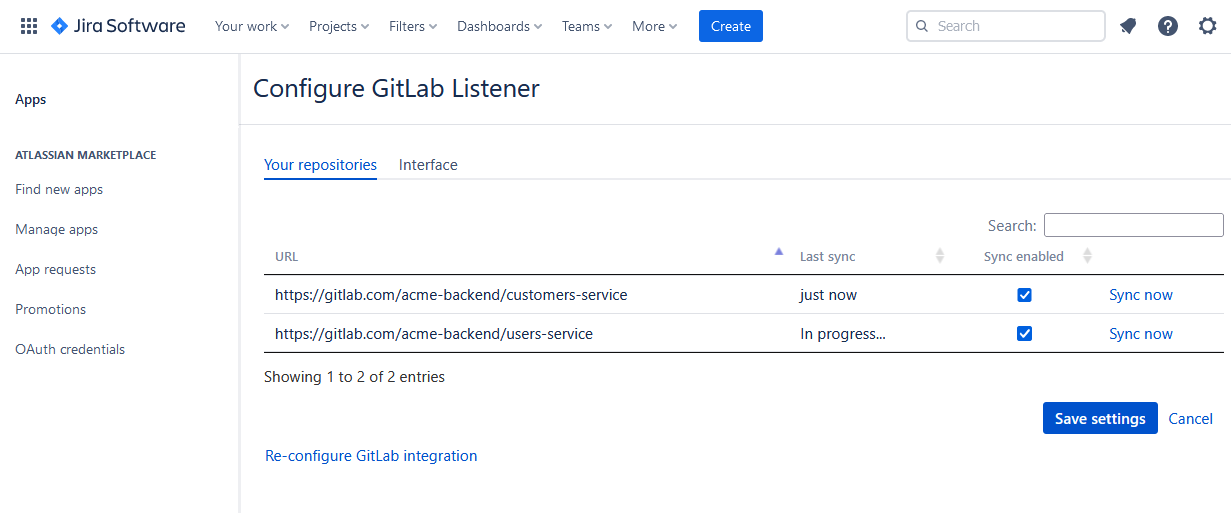
A dedicated integration for GitLab.com and self-hosted GitLab instances.
Activity appears on issues without manual linking or hand-wired webhooks.
Create branches and open merge requests directly from the Jira issue.
Detects issue keys in branch names, commits and MR titles to link the right work.
Actively maintained with responsive support from the team that builds it.
We read only metadata and never clone your code, with continuous security scanning.
Git Listener reads only the metadata it needs to link activity to issues — your source never leaves GitLab.
Read our security overviewIt connects your GitLab repositories to Jira, showing commits, branches and merge requests on each issue and letting you create branches and MRs without leaving Jira.
Yes. GitLab Listener works with both GitLab.com and self-hosted GitLab instances.
No. Git Listener reads commit, branch and merge-request metadata through the GitLab API. Your source code is never cloned, copied or stored on our servers.
All traffic is encrypted in transit with TLS and stored data is encrypted at rest with AES-256. Access tokens are held in an encrypted secret store. It's continuously security-scanned.
This plugin is dedicated to GitLab. If your team uses several providers, our featured Git Listener for Jira connects GitHub, GitLab, Azure DevOps and AWS CodeCommit in one plugin.
Install GitLab Listener for Jira from the Atlassian Marketplace and get set up in minutes.
Pick the platform you work in — every plan includes a free trial on the marketplace.



 AWS
AWS